How to Blur License Plates Before Selling Your Car Online
February 23, 2026
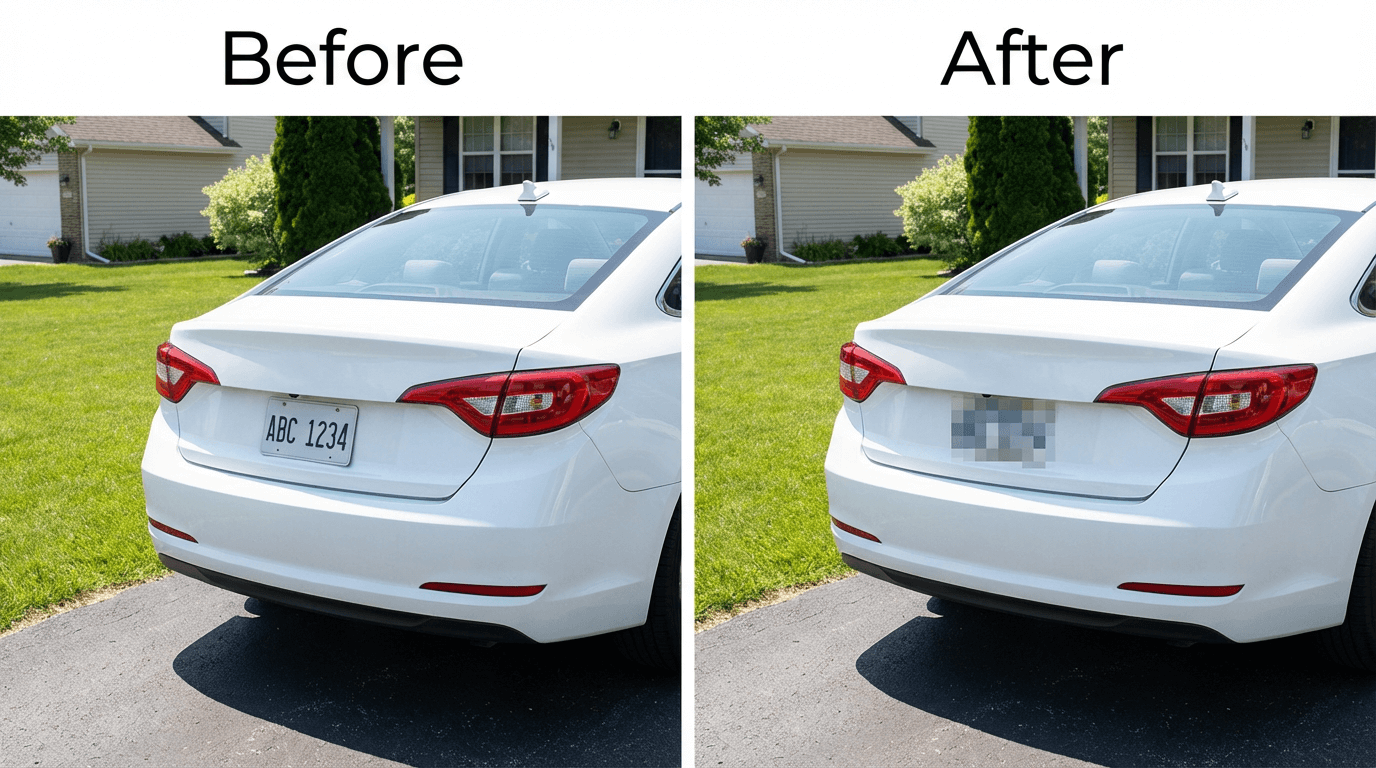
Blurring or pixelating the license plate in your car listing images is one of the simplest steps you can take to protect your privacy when selling a vehicle online. A visible plate number can be used to look up your name, address, registration history, and even insurance details through public and commercial databases.
This guide covers why you should blur your license plate before posting car images, the real risks of leaving it visible, where to be cautious, and two practical methods to pixelate or redact it — one fully manual and free, the other AI-powered and automatic.
Why Blur License Plates in Car Listing Images?
License plates are unique identifiers tied to the registered owner of a vehicle. While they are visible on public roads, a plate number combined with context from an online listing (location, asking price, contact details) creates a much richer profile than a passing glance on the highway.
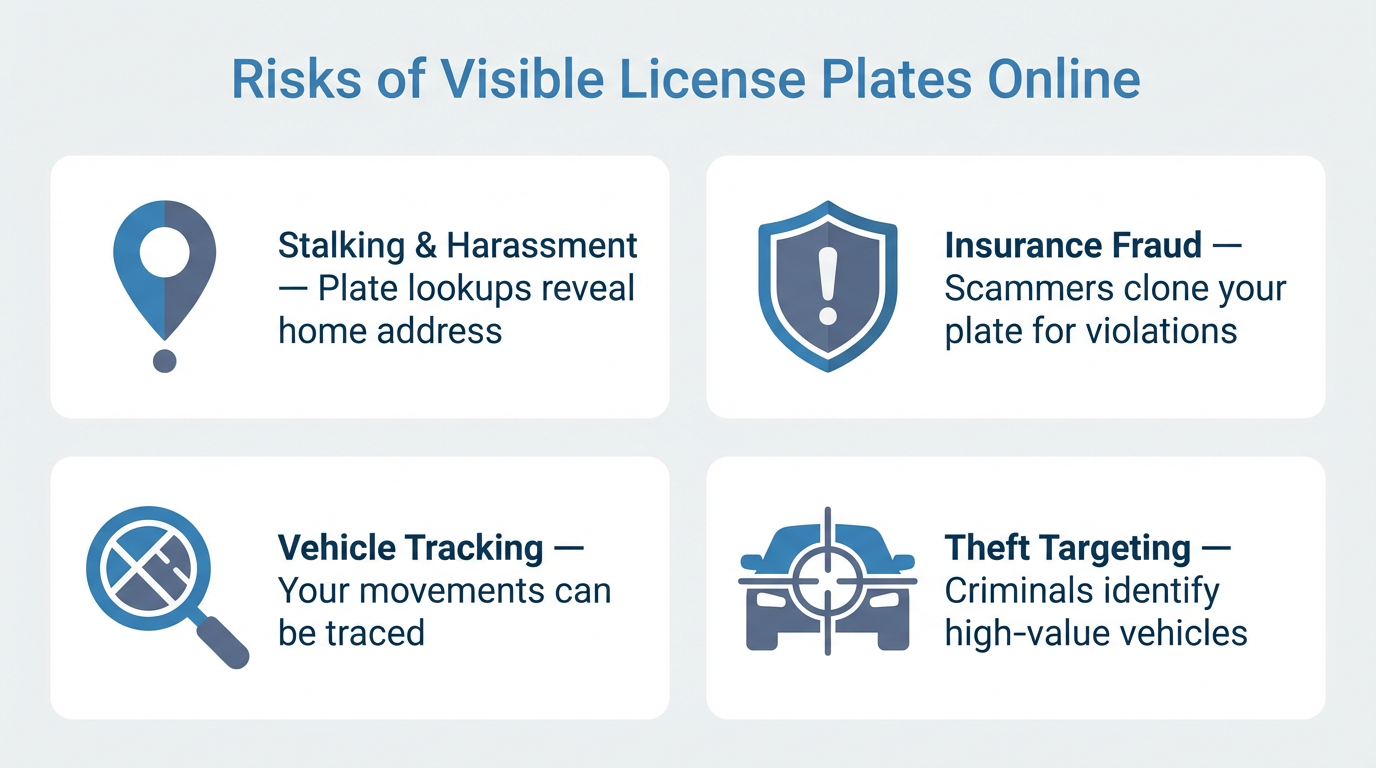
Stalking and Harassment
Anyone can use a license plate lookup service to find the registered owner's name and address. When combined with the location details in a car listing, this gives strangers a direct path to your home — a real concern for solo sellers meeting buyers.
Insurance Fraud and Plate Cloning
Plate cloning — copying your plate number onto another vehicle — is a growing problem. The cloned vehicle racks up tolls, parking tickets, and even traffic violations that land on your record. A plate number from a public listing is an easy target because the scammer already knows the vehicle make and model.
Vehicle Tracking
With automatic license plate recognition (ALPR) cameras increasingly common in parking garages, toll booths, and commercial areas, a known plate number enables tracking of your physical movements without your knowledge.
Theft Targeting
A listing that shows your car model, condition, and plate number in one place helps thieves identify high-value targets and plan accordingly. Removing one piece of this puzzle adds a layer of protection.
Where You Should Blur License Plates
Any platform where your car images will be publicly visible warrants license plate redaction:
- Online car marketplaces — Craigslist, Facebook Marketplace, AutoTrader, Cars.com
- Car enthusiast forums and communities — Reddit, model-specific forums, Discord servers
- Social media posts — Instagram, TikTok, YouTube car reviews or vlogs
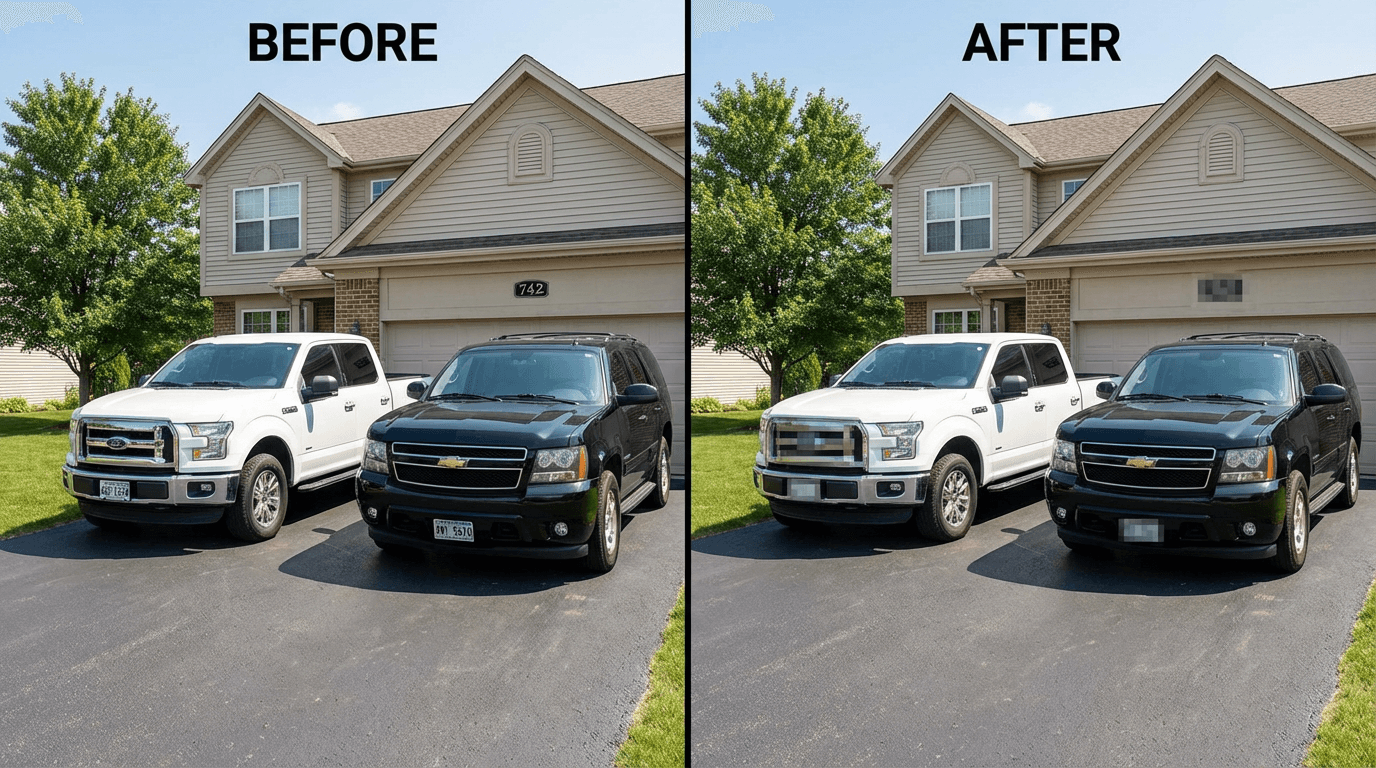
- Real estate listings — Cars visible in driveway or garage images
- Insurance claims — Images shared with adjusters or repair shops
Tip: Don't forget rear plates, front plates, and temporary tags. Also watch for VIN numbers visible through windshields and address details on garage signage.
Method 1: Manual Blur with Free Tools
If you prefer to pixelate or blur the license plate yourself, PixBlur's manual editor handles this without any signup, credits, or image uploads — everything runs locally in your browser.
- Open the PixBlur editor (no login required)
- Upload your car image (JPEG, PNG, or WebP, up to 30 MB)
- Select the Rectangle tool from the toolbar
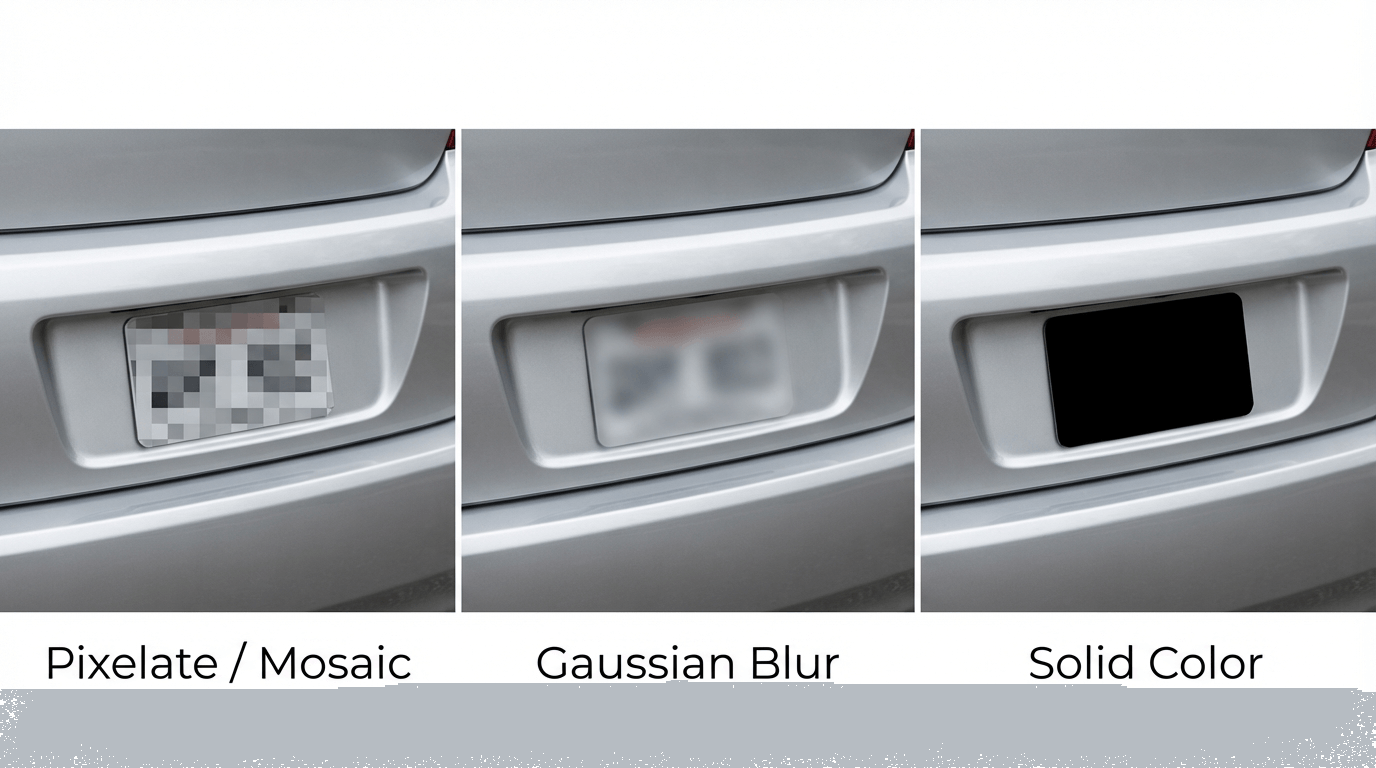
- Choose your mask style: pixelate, Gaussian blur, or solid color
- Draw a rectangle over the license plate area
- Click export — the image downloads in its original resolution with EXIF metadata (GPS, camera info) automatically removed
| Pros | Cons |
|---|---|
| 100% free, no login | Manual placement required |
| Image never leaves your device | One image at a time |
| Full control over mask position and style | May miss other sensitive details (faces, addresses) |
Method 2: AI-Powered License Plate Redaction
For faster results — especially when you have multiple images or want to catch other sensitive content in the same pass — PixBlur's AI redaction automatically identifies license plate text along with faces, names, phone numbers, and addresses.
How It Works
PixBlur's AI combines OCR (optical character recognition) with semantic analysis. The OCR reads all text visible in the image, and the semantic layer determines which text is sensitive — recognizing license plate numbers, personal names, and other personally identifiable information (PII) automatically.
- >98% accuracy for face and text redaction
- Detects multiple sensitive items in a single pass — license plates, faces, names, phone numbers, addresses, and more
- Review before export — AI results are editable; add, remove, or adjust any mask
- Batch processing — Redact up to 10 images per batch for multiple car listing images
Step-by-Step Tutorial: Blur License Plates with PixBlur
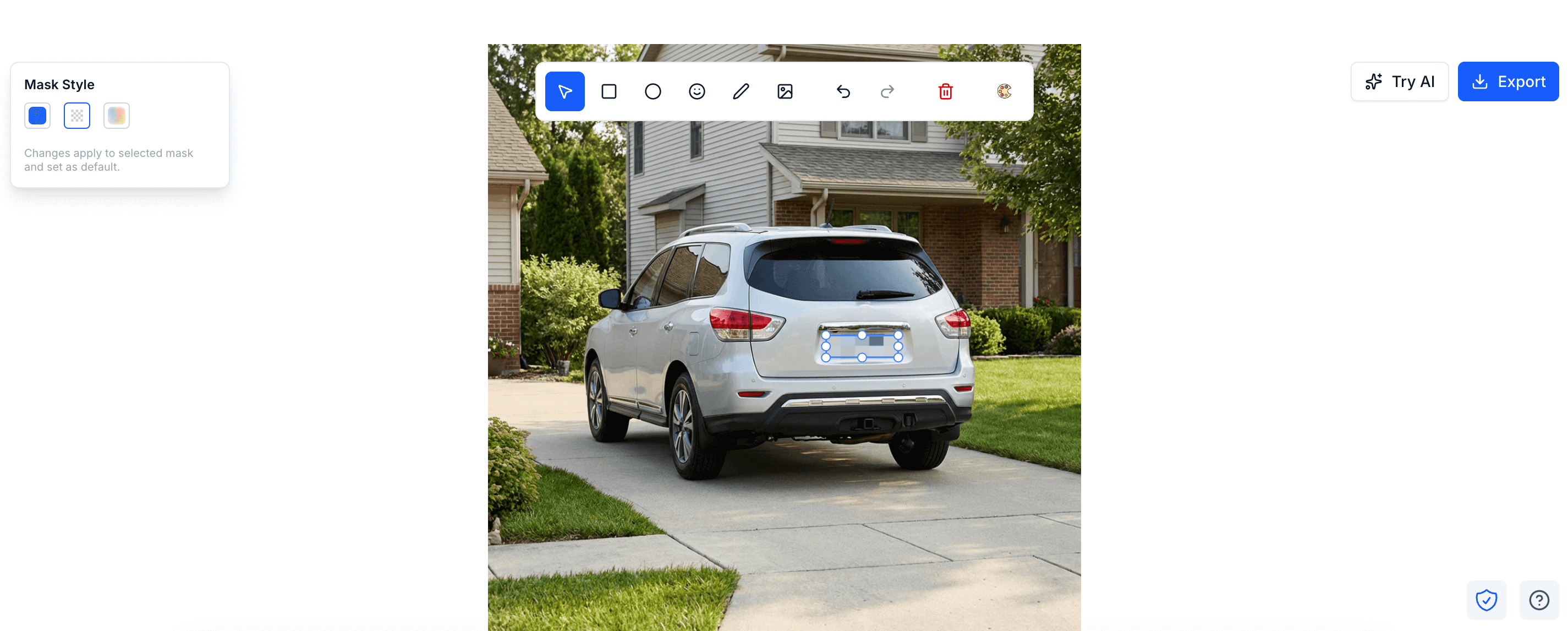
- Upload your car image — Open the PixBlur editor and drag-and-drop or select your image (JPEG, PNG, or WebP, up to 30 MB)
- Run AI redaction — Sign in and click "Run AI Edit". The AI scans the image and automatically places masks over the license plate, any visible faces, and other sensitive text (1 credit per image; new users get 5 free credits)
- Review the results — Check the AI-generated masks. You can adjust, resize, or remove any mask. Use the manual drawing tools to cover anything the AI missed
- Choose your blur style — Select pixelate (mosaic), Gaussian blur, or solid color for each mask
- Export — Download the redacted image in its original resolution. EXIF metadata (GPS coordinates, camera info) is automatically stripped
For multiple car images, use batch processing to redact up to 10 images per batch. Upload a folder of listing images, let the AI process them, review each result, and download the batch as a ZIP file.
Before/After Examples
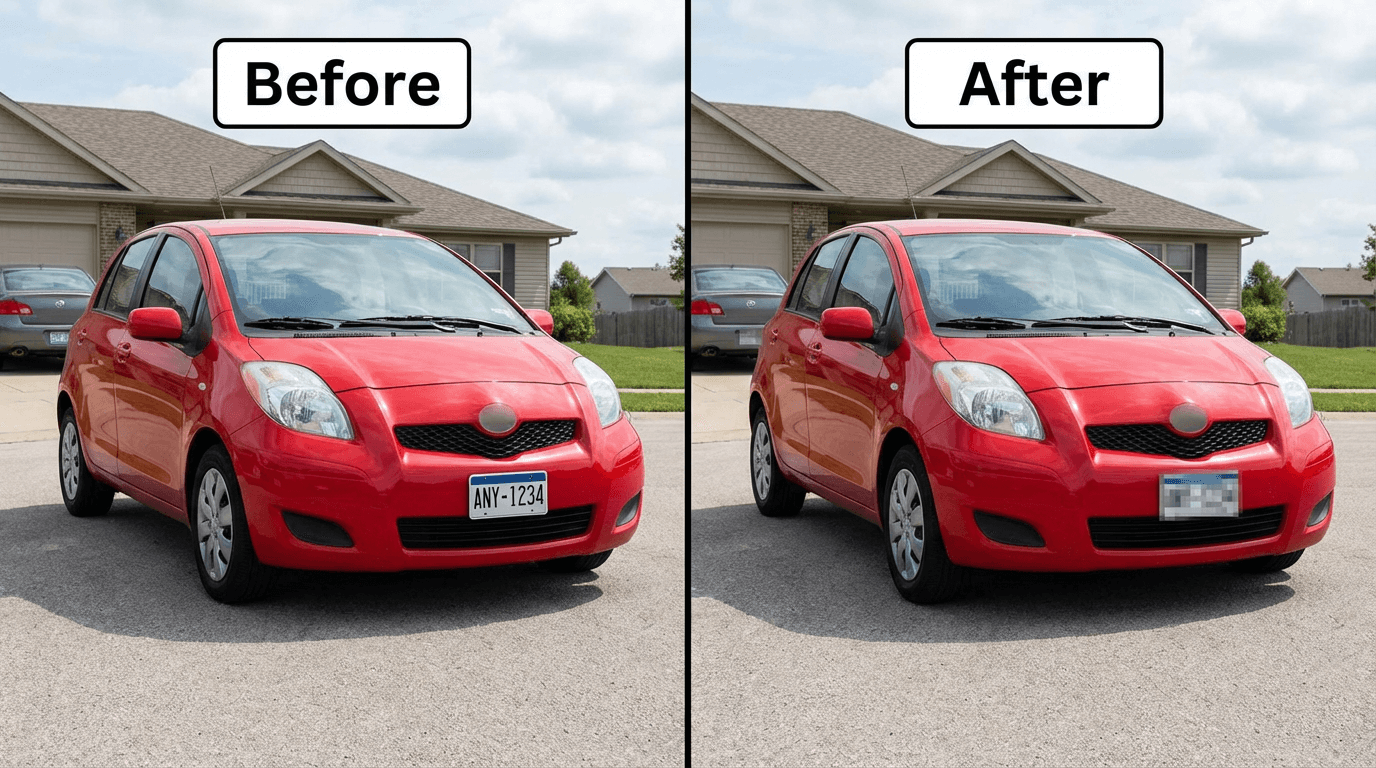
Here are common scenarios where license plate redaction makes a difference in car listing images:
Car Listing: Rear View
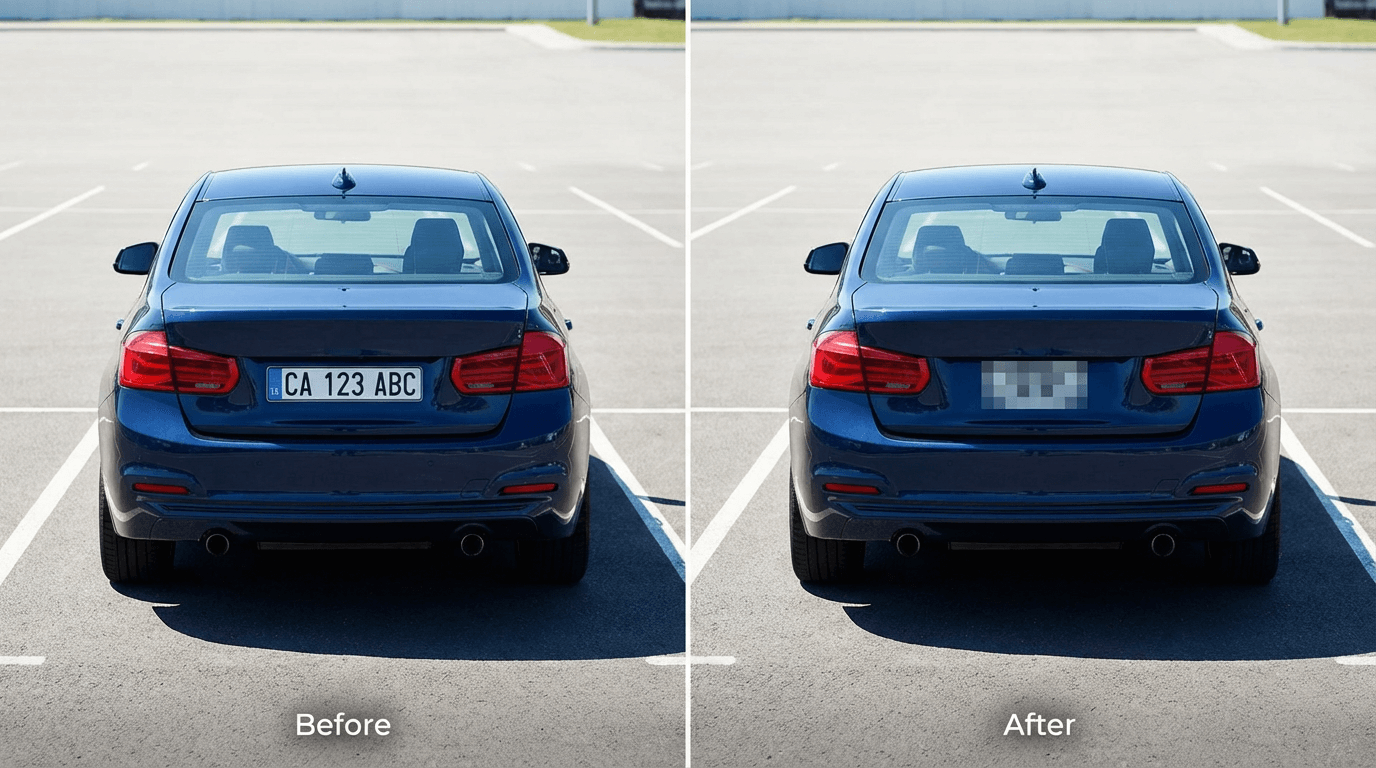
Street Parking: Front Plate Visible
Driveway: Multiple Vehicles
Which Blur Style Works Best for License Plates?
| Style | Security | Appearance | Best For |
|---|---|---|---|
| Pixelate / Mosaic | High | Blocky, clearly signals redaction | Most car listing scenarios |
| Gaussian Blur | Medium | Smooth, natural-looking | Social media posts, casual sharing |
| Solid Color | Highest | Complete coverage, clean look | Maximum privacy, formal contexts |
Recommendation: For car listing images, pixelation (mosaic) is the most common choice. It clearly communicates that the plate is intentionally hidden, provides strong security against recovery, and looks professional in marketplace listings.
Best Practices for Car Listing Images
What Else to Blur Besides License Plates
- VIN number — Often visible through the windshield on the dashboard. The VIN reveals detailed vehicle history including accident records
- Address details — House numbers, street signs, or mailbox labels visible in driveway images
- Faces — Bystanders, family members, or neighbors reflected in windows or visible in the background
- Other vehicles' plates — Neighbor cars, passing vehicles, or cars in adjacent parking spots
- Dealer stickers or frames — May reveal your purchase location
Image Quality Tips
- Take listing images in good natural light — bright images help buyers evaluate the car and help AI redaction achieve higher accuracy
- Use your camera's full resolution — PixBlur exports at the original image resolution, so a high-quality input produces a high-quality output
- Consider photographing from angles that naturally minimize plate visibility (3/4 front view, interior shots) to reduce the need for redaction
EXIF metadata reminder: Your original images likely contain GPS coordinates, camera model, and timestamp data. PixBlur automatically strips all EXIF metadata from exported images, so buyers cannot extract your location from the image file itself.
FAQ: Blurring License Plates in Images
Is it legal to share visible license plates online?
In most countries, license plates are considered public information when seen on the road. However, posting them online with additional context — such as your home address or daily routine — creates a security risk. Several privacy regulations (including GDPR in Europe) treat license plates as personal data that can identify an individual. Blurring plates before posting car listing images is a recommended privacy practice regardless of legal requirements.
Can blurred license plates be recovered or unblurred?
It depends on the method. Pixelation and solid color overlays destroy the original pixel data, making recovery impossible. Light Gaussian blur may theoretically be partially reversible for short text strings, but a strong blur setting makes recovery impractical. For maximum security on license plates, use pixelation or solid color redaction.
What blur style works best for license plates?
Pixelation (mosaic) is the most popular choice for license plates because it clearly signals the plate is intentionally hidden while providing strong security. Solid color is the most secure option — it completely replaces the plate area. Gaussian blur works well too but should be applied at high intensity to prevent AI-based recovery of the characters.
Does PixBlur automatically detect license plates?
Yes. PixBlur's AI redaction uses OCR combined with semantic analysis to automatically detect license plate numbers along with other sensitive text like names, phone numbers, and addresses. The AI identifies the plate text and applies your preferred mask style (blur, pixelate, or solid color). You can review and adjust the results before exporting.
Can I blur license plates for free without signing up?
Yes. PixBlur's manual editor is 100% free, requires no login, and processes images entirely in your browser — your image never leaves your device. You can draw a rectangle or freehand mask over the license plate and apply pixelation, blur, or solid color. The AI auto-redaction feature requires a free account (new users get 5 free credits).
Why PixBlur for License Plate Redaction?
- ✅ AI-Powered Redaction — Automatically finds license plates, faces, names, phone numbers, addresses, and other PII with >98% accuracy
- ✅ Review Before Export — AI results are editable; add or remove masks before downloading
- ✅ Batch Processing — Redact up to 10 images per batch for multiple listing images
- ✅ Privacy-First Manual Mode — 100% local processing, no uploads, completely free
- ✅ EXIF Metadata Removed — GPS, camera info automatically stripped from exports
- ✅ Original Quality Export — Exported images match your original resolution
Manual editor requires no login. AI features give new users 5 free credits to try.